The Footer Is a Strategic Asset, Not an Afterthought
A good website footer serves as a secondary navigation system, a trust signal, and a conversion tool, all compressed into a strip of real estate that appears on every single page of your site. Most teams treat the footer as the last item on the design checklist, something to fill with a logo and a few links before launch. That’s a missed opportunity. The footer is often where visitors go when they can’t find what they need in your main navigation, and it’s frequently the last thing someone sees before deciding whether to contact you or leave.
What separates a high-performing footer from a forgettable one isn’t aesthetics. It’s information architecture. The best footers are carefully structured to serve multiple audiences: the prospect who scrolled to the bottom looking for pricing, the existing customer hunting for support documentation, the job seeker checking your company details, and the search engine crawler indexing your link structure. Getting this right requires the same level of planning you’d put into your primary navigation.
In our projects, we prototype the footer alongside the header from the very first round of wireframing. It’s never an afterthought. Here’s what we’ve learned about what actually makes a footer work.
Navigation That Catches What the Header Misses
Your header navigation has limited space. It can hold five to seven items before it becomes cluttered and confusing. The footer exists to surface everything the header can’t accommodate. Think of it as a safety net for findability. When someone scrolls to the bottom of your page, they’re usually in one of two states: they’ve consumed your content and want to go deeper, or they couldn’t find what they were looking for higher up. Either way, your footer needs to deliver.
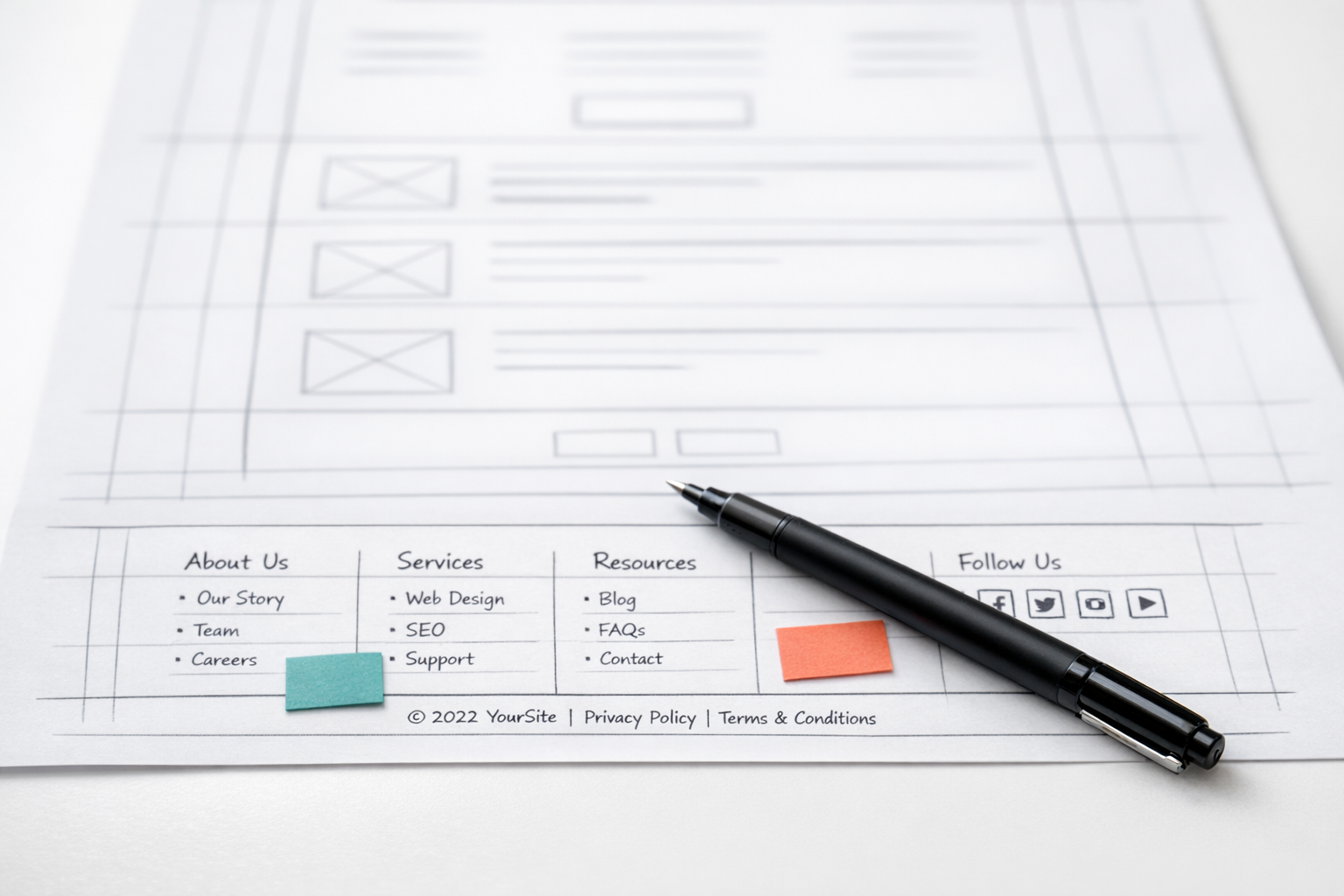
The strongest footers we’ve built organise links into clearly labelled columns that mirror the site’s information architecture. A typical B2B company might have columns for Products or Services, Company, Resources, and Support. Each column should contain six to ten links at most. More than that and you’re creating a wall of text that nobody will scan.
What matters here is specificity. A footer link labelled “Services” that just points to your services landing page doesn’t add much value because that link is already in your header. But a footer that lists individual service pages by name gives visitors a direct shortcut and gives search engines additional internal linking signals. We consistently see this pattern improve both user engagement and crawl efficiency across client sites.
Prioritising Links by User Intent
Not all footer links deserve equal prominence. Order your links within each column by frequency of use, not alphabetically. If your analytics show that your pricing page gets ten times more traffic than your team page, pricing should sit higher in the column. This seems obvious, but most footers are organised by internal logic (“this is how our department structure works”) rather than by what visitors actually need.
One technique our team uses during prototyping is to review the site’s search logs and 404 error reports. These reveal exactly what visitors are looking for and failing to find. If people repeatedly search for “integrations” or “API documentation,” those items belong in the footer regardless of whether they fit neatly into your column structure.
Trust Signals That Actually Build Confidence
The footer is prime real estate for credibility indicators. By the time someone reaches the bottom of your page, they’ve absorbed your messaging and are evaluating whether to trust you. Well-placed trust signals in the footer can tip that evaluation in your favour.
The most effective trust elements we see in B2B footers include:
- Industry certifications and compliance badges (ISO 27001, SOC 2, GDPR compliance marks)
- Association memberships relevant to your sector
- Client logos or a “trusted by” strip showing recognisable brands
- Award badges from credible third-party organisations
- Security seals if you handle transactions or sensitive data
The key word here is relevant. A generic “Secure Website” badge means nothing. A SOC 2 Type II badge means everything to an enterprise buyer evaluating your SaaS platform. Choose trust signals that match the concerns of your specific audience. If your buyers care about data residency, show your hosting certifications. If they care about industry expertise, show sector-specific accreditations.
One mistake we see frequently is cramming fifteen client logos into the footer at tiny sizes where none of them are recognisable. Five logos displayed clearly are worth more than twenty logos displayed as a blur. Pick your most recognisable or aspirational clients and give them enough visual space to register.
Contact Information That Removes Friction
This sounds elementary, but a surprising number of company websites make it difficult to find basic contact details. Your footer should include, at minimum, a physical address, a phone number, and an email address or a link to a contact form. For B2B companies, this information does double duty: it helps prospects reach you, and it signals to Google that you’re a legitimate business with a real location.
Format your address and phone number using structured data markup (Schema.org LocalBusiness or Organisation) so search engines can parse it correctly. This contributes to your local SEO signals and can improve how your business appears in search results, particularly for “near me” queries if you serve a regional market.
If your company operates across multiple locations or time zones, the footer is a good place to set expectations. A line like “London office: Mon-Fri, 9am-6pm GMT” tells the visitor exactly when they can expect a response. That small detail reduces friction and prevents frustration.
Social Media Links: Less Is More
Include social media icons in your footer, but only for platforms you actively maintain. A LinkedIn icon that leads to a company page updated last week builds credibility. A Twitter icon that leads to a dormant account with your last post from 2021 destroys it. Audit your social presence before linking to it. If you’re only active on LinkedIn and YouTube, those are the only two icons that should appear.
Place social icons in a consistent location, typically in the bottom-right area or as a horizontal row beneath your link columns. Don’t make them visually dominant. Social links should be easy to find but shouldn’t compete with your primary footer navigation or contact details for attention.

Legal and Compliance Elements
Every website footer needs certain legal essentials. The exact requirements depend on your jurisdiction and industry, but the baseline for most UK and EU-facing companies includes:
- Privacy Policy link (required under GDPR)
- Cookie Policy link (required under PECR and ePrivacy regulations)
- Terms and Conditions or Terms of Use
- Copyright notice with the current year
- Company registration details (company number, registered address, VAT number if applicable)
These items typically sit in the very bottom row of the footer, styled smaller than the main link columns. They need to be visible and accessible but don’t require visual prominence. One thing to avoid: making legal links the same colour as the background so they’re effectively invisible. GDPR enforcement bodies have specifically flagged this as a compliance issue.
If you operate in regulated industries like financial services, healthcare, or education, your footer may also need to include specific disclaimers or regulatory registration numbers. Check with your compliance team during the wireframing phase, not after the site has launched.
The Role of the Footer in SEO
Footer links carry less SEO weight than contextual links within body content, but they still matter. Because the footer appears on every page of your site, it creates site-wide internal links to whatever you include. This tells search engines which pages you consider important and distributes link equity across your site architecture.
The strategic play here is to use footer links to support pages that sit deep in your site hierarchy. If you have a valuable resource centre, a comparison page, or a detailed service page that’s buried three clicks deep, a footer link provides a direct path from every page on your site. This helps with both crawlability and indexing.
What you want to avoid is keyword-stuffing your footer with dozens of anchor-text-optimised links. Google’s algorithms have been wise to this tactic for years. A footer with twenty links titled “Best CRM Software London,” “Top CRM Platform UK,” “CRM Solutions for Enterprises” will look spammy and could trigger algorithmic penalties. Use natural, descriptive link labels that match the actual page titles.
Footer Content for Topical Authority
Some companies add a brief paragraph of text to their footer describing what the company does. When done well, this can reinforce topical relevance signals for search engines. Keep it to two or three sentences that naturally include your primary service categories and geographic focus. When done badly, it reads like a keyword-stuffed block of gibberish that erodes user trust. Read it aloud. If it sounds like something a person would never say, rewrite it.
Design and Layout Principles
A well-designed footer follows the same visual hierarchy principles as the rest of your site. It should feel like a coherent part of the design system, not a separate element bolted on at the end. Here are the principles we apply across our projects.
Contrast matters. Your footer text needs to be legible against its background. This sounds basic, but we audit dozens of sites where light grey text on a slightly darker grey background fails WCAG contrast ratios. Use a contrast checker tool and ensure your footer meets at least AA accessibility standards (4.5:1 contrast ratio for body text).
Column structure should be responsive. A four-column footer that looks clean on desktop needs to restack gracefully on mobile. Typically, this means columns collapse into an accordion or a single stacked list on smaller screens. Test your footer on actual mobile devices, not just browser resize tools, because touch targets, scroll behaviour, and text rendering all differ from desktop simulations.
White space prevents overwhelm. Dense footers with no breathing room between sections feel cluttered and uninviting. Generous padding between columns, clear separation between the link area and the legal bar, and adequate line height in your link lists all contribute to a footer that feels considered rather than crammed.
The “Fat Footer” vs. the Minimal Footer
There’s no single correct size for a footer. Content-rich sites with large service catalogues, resource libraries, and multiple audience segments benefit from a “fat footer” with extensive navigation. Simpler sites with five to ten pages can use a compact footer with a single row of links plus contact details.
The deciding factor should be your site’s complexity, not a design trend. If you have forty pages of useful content, a minimal footer with six links forces visitors to rely entirely on the header and in-page navigation. If you have a ten-page brochure site, a fat footer with twenty links looks inflated and desperate. Match the footer’s scope to the actual breadth of your content.

Calls to Action in the Footer
A well-placed secondary call to action in the footer can capture visitors who’ve scrolled past your primary CTAs without engaging. This works because the mental state of a footer-reader is different from someone at the top of the page. They’ve consumed content. They’re oriented. A simple, low-pressure CTA at this point can convert someone who wasn’t ready earlier.
What works well in B2B footers is a newsletter signup, a free consultation link, or a resource download offer. Keep the form simple. Name and email, nothing more. Every additional field reduces completion rates. A footer newsletter signup that asks for company name, job title, phone number, and preferred contact time will get almost zero submissions.
Visually, the CTA should be distinguishable from the surrounding footer links but shouldn’t overwhelm the space. A small form with a single input field and a button, or a short text line with a linked action, is usually the right scale. The footer CTA is a gentle nudge, not a billboard.
Prototyping Your Footer Early
One of the most common patterns we see in troubled website projects is the footer being designed in the final sprint before launch. Content hasn’t been agreed upon. Legal hasn’t reviewed the compliance requirements. The design team makes something generic, and it ships without proper attention. Six months later, someone notices the footer still shows the old office address, the links point to pages that were restructured, and the copyright year hasn’t updated.
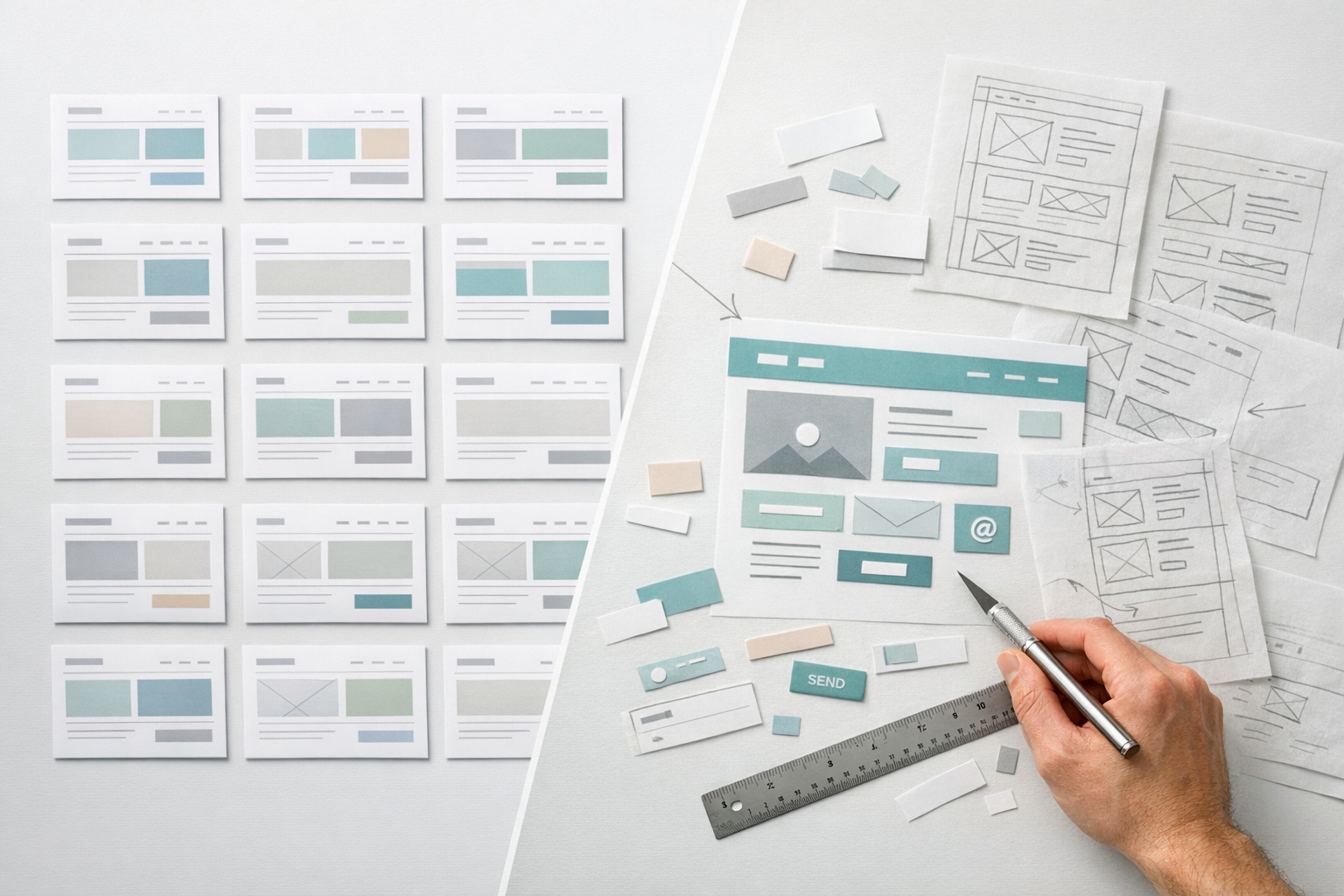
This is why we prototype footers early in the project alongside the header and key page templates. When you build a clickable prototype that includes the footer, stakeholders can interact with it, test the navigation paths, and identify missing elements before any visual design work begins. You can read more about this approach in our prototype-first guide, which covers how testing structure and flow before committing to design prevents expensive rework.
During prototyping, we run a simple exercise: we ask each stakeholder to identify the three things they’d most want to find in the footer if they were a new visitor to the site. The overlap between responses reveals the essential items. The outliers spark useful discussions about audience priorities. This exercise takes thirty minutes and prevents weeks of back-and-forth during development.
Common Footer Mistakes to Avoid
After reviewing hundreds of websites across client audits and competitive analyses, certain footer problems appear again and again. Knowing what to avoid is almost as valuable as knowing what to include.
Orphan links that go nowhere useful. A footer link to a “Partners” page that contains a single paragraph and no actual partner information creates a dead end. Every link in your footer should lead to a page that delivers genuine value. If the page doesn’t exist yet or is thin, remove the link until the content is ready.
Inconsistent styling between pages. If your footer looks different on your blog than on your service pages, it signals a lack of cohesion in your design system. The footer should be a global component that renders identically across all page templates. This is one of the first things we check when auditing a client’s existing site.
Autoplaying media or aggressive pop-ups triggered by footer proximity. Some sites trigger exit-intent pop-ups the moment a visitor scrolls into the footer area. This is hostile to users who are actively trying to navigate your site via the footer. It interrupts their task and creates frustration. Disable exit-intent triggers in the footer zone.
A copyright year that’s two years out of date. This tiny detail disproportionately affects credibility. Visitors notice. Use dynamic year rendering in your template code so the copyright year updates automatically every January. This takes a developer five minutes to implement and permanently eliminates the problem.
Duplicating the header navigation exactly. Your footer should complement the header, not mirror it. If the footer contains identical links in the same order, it adds no navigational value. The footer’s purpose is to provide additional paths and deeper links that the header can’t accommodate.
Footer Analytics: Measuring What Works
Most teams never look at how visitors interact with their footer. That’s a blind spot worth fixing. Set up click tracking on footer links using your analytics platform’s event tracking or a heatmap tool. This data reveals which links get used, which get ignored, and where visitors expect to find things.
What we typically discover in client audits is that two or three footer links account for 60-70% of all footer clicks. Those high-traffic links deserve prominent placement. The links that nobody clicks in six months are candidates for removal or restructuring. Footers should be living components that evolve based on evidence, not static elements set at launch and never revisited.
Heatmap data is especially revealing for footer layout decisions. If visitors consistently click on a non-linked element, like your address or a certification badge, that signals an unmet expectation. Maybe they expected the address to open a map, or the badge to link to a verification page. These micro-interactions matter more than most teams realise.
Putting It All Together
A good website footer does several things simultaneously: it provides navigation depth beyond what the header allows, builds trust through credibility indicators and transparent contact information, satisfies legal and compliance requirements, and supports SEO through strategic internal linking. The best footers accomplish all of this without feeling cluttered, because they’re designed with the same rigour and intentionality as the rest of the site.
Start by auditing your current footer against the criteria in this article. Check your link structure against your site analytics. Verify your legal compliance elements. Test your mobile rendering on actual devices. Then bring the footer into your next design review with the same seriousness you’d give any other high-visibility component. It appears on every page, it’s seen by every visitor, and it deserves to be treated as the strategic asset it is.