The Real Reason Your Customers Leave Before Paying
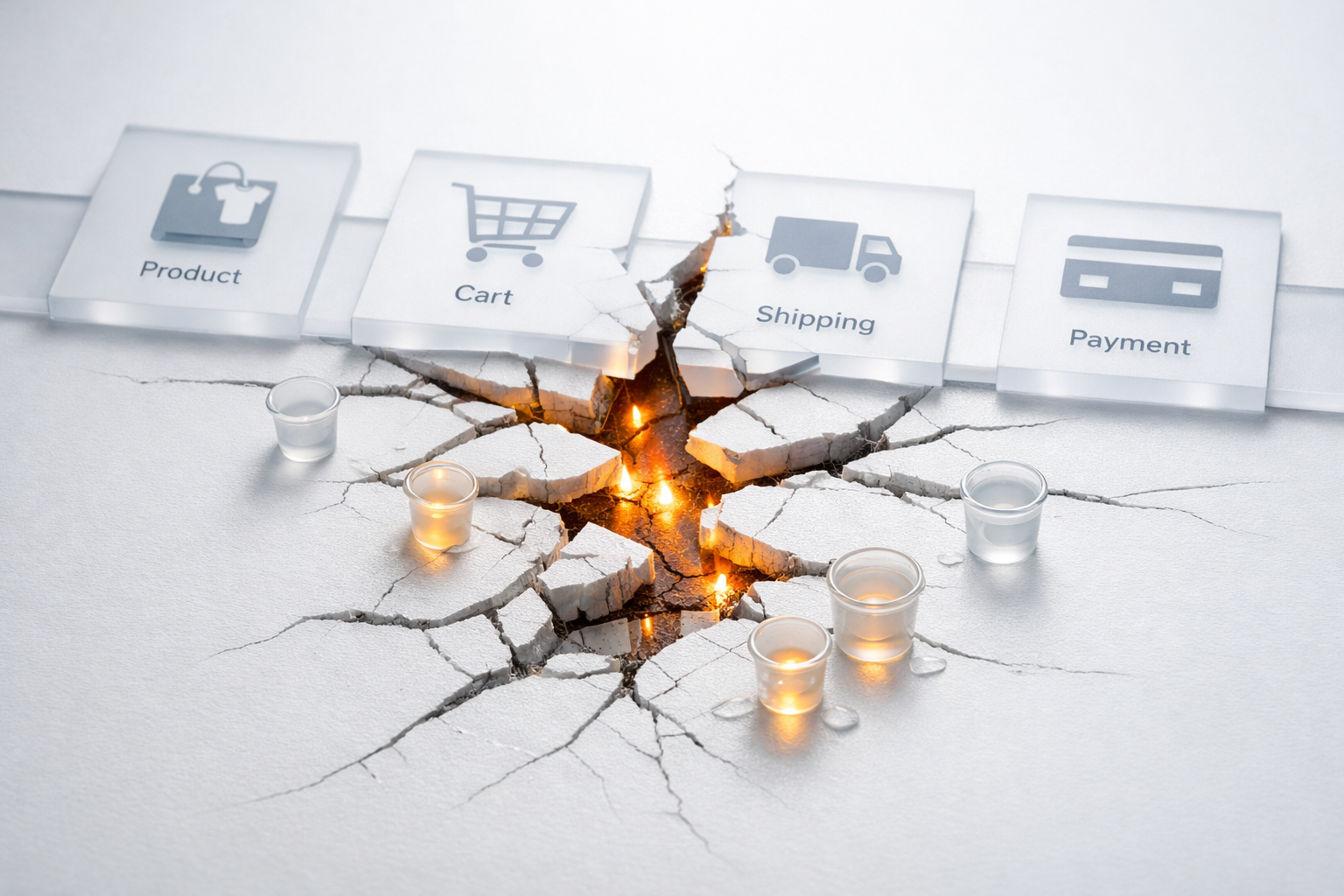
Cart abandonment isn’t your problem. It’s the visible symptom of deeper structural failures in your website’s buying journey. Treating it as the problem, with retargeting emails and exit-intent popups, is like putting a bucket under a leaking roof and calling it fixed. The water keeps coming because the roof is still broken.
The average cart abandonment rate across e-commerce sits around 70%, and it has hovered in that range for over a decade despite enormous investment in recovery tactics. That number hasn’t budged meaningfully because most businesses focus on retrieving lost carts rather than understanding why carts get abandoned in the first place. When you shift your attention from the symptom to the cause, you find a web of issues: misaligned expectations, friction in the checkout flow, trust gaps, hidden costs, and poor information architecture that collectively push buyers away before they complete a purchase.
This article breaks down the real problems behind cart abandonment, explains how to diagnose them, and gives you a framework for fixing the structural issues rather than papering over the results.
Why Recovery Tactics Only Capture a Fraction of Lost Revenue
The standard playbook for cart abandonment looks something like this: install exit-intent popups, set up a three-email abandoned cart sequence, maybe offer a 10% discount in the second email. These tactics do recover some revenue. A well-executed abandoned cart email series typically brings back 5-10% of abandoners. That’s real money, and you should absolutely have these systems running.
But think about what that means. You’re recovering a sliver of the 70% who leave. The other 60-65% never come back, regardless of how clever your email subject line is. Many of them never entered their email address in the first place, which means your recovery sequence can’t even reach them. You’re fishing in a pond that only contains a fraction of the people who walked away.
The deeper issue is that recovery tactics assume the buying intent was genuine and the customer simply got distracted. Sometimes that’s true. People get interrupted, their phone rings, they decide to think about it overnight. But in our conversion audits, the most common pattern we find is something different entirely: the customer’s intent was eroded by the experience itself. They arrived ready to buy and your website talked them out of it. No email sequence fixes that, because the problem happened before they reached the cart.

The Five Structural Problems That Actually Cause Abandonment
When we audit mid-market sites with high abandonment rates, the root causes almost always fall into five categories. They rarely exist in isolation. Most sites have two or three of these working together to create a cumulative drag on conversions.
1. Expectation Mismatches Between Traffic Source and Landing Experience
This is the most overlooked cause of abandonment and often the most damaging. A customer clicks an ad promising “premium handmade leather bags from £89” and lands on a category page where the cheapest bag is £189 and nothing looks particularly handmade. The seed of abandonment was planted before they even browsed a product.
Expectation mismatches happen across multiple dimensions: price, product quality, selection breadth, delivery speed, and brand positioning. If your Google Shopping feed shows one price but your product page shows another after VAT or delivery, you’ve created a gap. If your social ads feature lifestyle photography that makes products look premium but your site feels templated and generic, you’ve created a gap. Each gap chips away at the customer’s confidence that they’re in the right place.
The fix isn’t better ads or better landing pages in isolation. It’s alignment between promise and delivery at every transition point. What the ad says, what the landing page shows, what the product page reinforces, and what the checkout confirms should tell one consistent story. When they don’t, the customer doesn’t consciously think “there’s an expectation mismatch here.” They just feel slightly uneasy. And uneasy people don’t buy.
2. Cost Surprises That Appear Late in the Journey
This one shows up in virtually every survey on cart abandonment. Unexpected costs, whether shipping fees, taxes, handling charges, or mandatory add-ons, are cited as the number one reason for abandonment by roughly 48% of shoppers. The reason this keeps appearing in surveys year after year is that businesses keep doing it.
The psychology here is straightforward. When a customer mentally commits to a price, say £45 for a product, they’ve anchored to that number. When the cart suddenly shows £52.95 after shipping and a “processing fee,” the experience feels dishonest even if every charge is legitimate. The issue isn’t the £7.95. It’s the surprise. People will happily pay for shipping if they know about it from the beginning. What they won’t tolerate is feeling ambushed at the moment of commitment.
Our team recommends a simple principle: show the total cost as early as possible, ideally before the customer reaches the cart. If you offer free shipping above a threshold, state it on every product page. If shipping varies by location, provide an estimate calculator on the product page, not just at checkout. If you charge VAT, make sure prices are displayed inclusive. Every pound that appears unexpectedly at checkout is a pound that costs you multiples of its value in lost orders.
3. Checkout Friction and Unnecessary Complexity
There’s a pattern we see repeatedly on mid-market e-commerce sites: the checkout flow was designed by developers who optimised for data collection, not for conversion. You end up with five-step checkouts that ask for a phone number (mandatory), a company name (mandatory), date of birth (for “verification”), and require account creation before you can proceed.
Every additional form field, every extra step, and every mandatory account creation is a fork in the road where a percentage of buyers exit. Research from the Baymard Institute found that the average large e-commerce checkout contains 23 form elements, roughly twice as many as needed. Their testing showed that an optimised checkout could achieve a 35% increase in conversion rate simply by removing unnecessary fields and streamlining the flow.
Guest checkout is not optional. It is mandatory if you want to minimise abandonment. You can invite account creation after the purchase, when the customer has already committed and has a reason to create an account (tracking their order). Forcing it before payment is asking someone to do admin work at the exact moment their motivation is to complete a transaction. It’s backwards.
The same logic applies to payment options. If your checkout only accepts Visa and Mastercard, you’re losing customers who prefer PayPal, Apple Pay, Google Pay, or buy-now-pay-later options. Each missing payment method represents a segment of buyers for whom completing the purchase just became harder than it needs to be.
4. Trust Gaps at the Point of Financial Commitment
A customer can browse your site for fifteen minutes feeling perfectly comfortable, but the moment they’re asked to enter card details, every latent concern surfaces. Is this site legitimate? What’s the return policy? Will my data be secure? What if the product isn’t what I expected?
This is where trust architecture matters most, not trust badges scattered randomly across the page, but strategic placement of proof and reassurance at the exact moments when doubt is highest. What we see on most mid-market sites is a disconnect: social proof and reviews sit on the product page, but the checkout page is barren. The customer’s peak anxiety occurs at checkout, yet that’s often the page with the least reassurance.
Effective trust placement at checkout includes:
- Security indicators near the payment form (SSL badges, encryption statements, recognised payment processor logos)
- Return policy summary visible without requiring the customer to navigate away from checkout
- Customer service contact details, ideally a phone number or live chat option, visible during checkout
- Recent reviews or purchase activity (“3 people bought this today” or a highlighted review) to provide social proof at the decision point
- Delivery information confirming expected arrival date, not just “3-5 working days” but an actual date
None of these elements are revolutionary. But the difference between a site that converts and one that leaks revenue is often not what trust elements exist, but where they appear relative to the customer’s decision points.
5. Poor Mobile Experience Masquerading as “Mobile Optimised”
Most mid-market sites pass a basic mobile responsiveness test. Elements resize, text is readable, buttons are tappable. But responsive design and mobile-optimised buying experience are two very different things. Over 60% of e-commerce traffic now comes from mobile, and mobile cart abandonment rates are consistently 10-15 percentage points higher than desktop. That gap represents a structural problem, not a user preference.
The issues are specific and fixable. Form fields on mobile that trigger the wrong keyboard type (showing a full QWERTY keyboard for a phone number field, for example). Dropdowns that are difficult to scroll through on small screens. Payment forms that don’t support autofill properly. Tiny “apply coupon” links that are hard to tap. Product images in the cart that are either too small to see or so large they push the checkout button below the fold.
The real test of your mobile checkout is not whether it works, but whether it feels effortless. Sit down with your phone, add a product to your cart, and complete the checkout as if you were a new customer. Time it. If it takes more than 90 seconds from cart to order confirmation, you have work to do. If you have to pinch-zoom at any point, you have work to do. If you feel even a flicker of frustration, your customers feel it too, and many of them simply leave.
How to Diagnose Your Specific Abandonment Causes
Knowing the common causes is useful, but your site has its own specific pattern of failure. Identifying which problems are costing you the most revenue requires a combination of quantitative and qualitative analysis.
Start with your analytics funnel. Set up (or review) a checkout funnel in your analytics platform that tracks each step: product page, add to cart, cart page, checkout initiation, shipping details, payment details, order confirmation. Look for the biggest percentage drops between steps. If you lose 40% of people between the cart page and checkout initiation, that tells you something different than losing 40% between payment details and confirmation. The former suggests a pricing or commitment issue. The latter points to payment friction or trust gaps.
Layer in session recordings. Tools like Hotjar or Microsoft Clarity let you watch real user sessions. Filter for sessions that include an add-to-cart event but no purchase. Watch twenty or thirty of these. You’ll spot patterns within the first ten: people scrolling up and down looking for information, hovering over shipping cost areas, attempting to find a coupon code field, struggling with form validation errors, or simply staring at the page for a long time before closing the tab. That hesitation is visible, and it tells you exactly where the experience is failing.
Survey your abandoners. A simple post-abandonment email (if you have their email) asking “Was there anything that stopped you from completing your purchase?” with a handful of radio button options generates actionable data quickly. Common responses like “shipping was too expensive,” “I was just browsing,” or “the process was too complicated” are directional indicators you can act on. Even a 5% response rate on a survey like this gives you enough data to prioritise fixes.
The diagnostic process we outline in our conversion systems guide goes deeper into mapping these friction points against revenue impact, but the fundamental principle is the same: measure where people drop, watch how they behave at those points, and ask them what went wrong.

A Framework for Fixing the Root Causes
Once you’ve identified your specific abandonment causes, resist the temptation to fix everything simultaneously. Prioritise based on two factors: the size of the drop at each stage and the effort required to fix it. A quick win might be adding shipping cost estimates to product pages (low effort, often high impact). A larger project might be rebuilding your checkout flow to reduce steps (higher effort, but potentially transformational).
Here’s a practical prioritisation approach:
Fix cost transparency first. If your analytics show a significant drop when customers see the order total, this is almost certainly a pricing surprise issue. Adding shipping calculators, displaying inclusive pricing, and being upfront about all fees typically takes days, not weeks, and the impact is often immediate.
Reduce checkout steps second. Audit every field in your checkout. For each one, ask: “Do we need this to process the order, or do we want it for marketing?” If it’s the latter, remove it or make it optional. Switch to a single-page or accordion-style checkout if your platform supports it. Add guest checkout if you don’t already have it.
Address trust placement third. Map your trust elements against the checkout flow. Identify the specific moments where customers are making commitment decisions and ensure proof, reassurance, and risk-reversal messaging appear at those points. This is design and content work, not technical development, which makes it relatively fast to implement.
Align your traffic sources fourth. Review your top-performing ad campaigns and landing pages side by side. Look for disconnects in messaging, pricing, imagery, and tone. Bring them into alignment so the customer’s experience feels like a single continuous conversation, not a series of disjointed encounters.
Optimise mobile fifth. This might feel like it should be first given the traffic volumes, but mobile optimisation is often the most technically complex fix and benefits from having the other improvements in place first. A streamlined, transparent, trust-rich checkout flow is easier to adapt to mobile than a bloated one.
What Happens When You Fix the System, Not the Symptom
The difference between treating abandonment as a symptom versus a problem is the difference between incremental improvement and structural transformation. When you send better abandoned cart emails, you might recover an extra 2-3% of lost carts. Useful, but marginal. When you fix the underlying causes, something different happens: fewer people abandon in the first place.
Consider the maths. A site with 10,000 monthly cart additions and a 70% abandonment rate generates 3,000 orders. An excellent recovery email sequence might bring that to 3,300. That’s 300 extra orders, and it’s worth celebrating. But reducing the abandonment rate from 70% to 60% through structural improvements yields 4,000 orders. That’s 1,000 additional sales, more than three times the impact of recovery alone, and those customers didn’t need to be re-convinced. They simply weren’t driven away.
The compounding effect is even more powerful. Customers who complete a smooth, trustworthy buying experience are more likely to return, more likely to recommend the site, and less likely to request refunds (because their expectations were set accurately from the start). The lifetime value of customers acquired through a well-designed system is measurably higher than those clawed back through discount-driven recovery emails.
Stop Chasing the Symptom
Cart abandonment will never reach zero. Some people genuinely are just browsing. Others will get distracted by life. A certain percentage of abandonment is natural and healthy, representing people in the research phase of their buying journey. The target isn’t eliminating abandonment; it’s eliminating unnecessary abandonment caused by your own website’s failings.
The next time you look at your abandonment rate, don’t ask “how do we get these people back?” Ask instead: “why did we lose them in the first place?” Audit your checkout funnel step by step. Watch real user sessions. Survey your abandoners. You’ll find that the answers are specific, concrete, and fixable. The problem was never that customers left. The problem was that your site gave them reasons to.